How to Add a Credit Card - Automatic Payments
This article will serve as a guide for adding a credit/debit card to your account for automatic payments.
Steps
-
To begin, you’ll need to log in to the Billing Control Panel. Below is our Billing Control Panel URL.
Billing Control Panel: https://billing.xbytecloud.com/
-
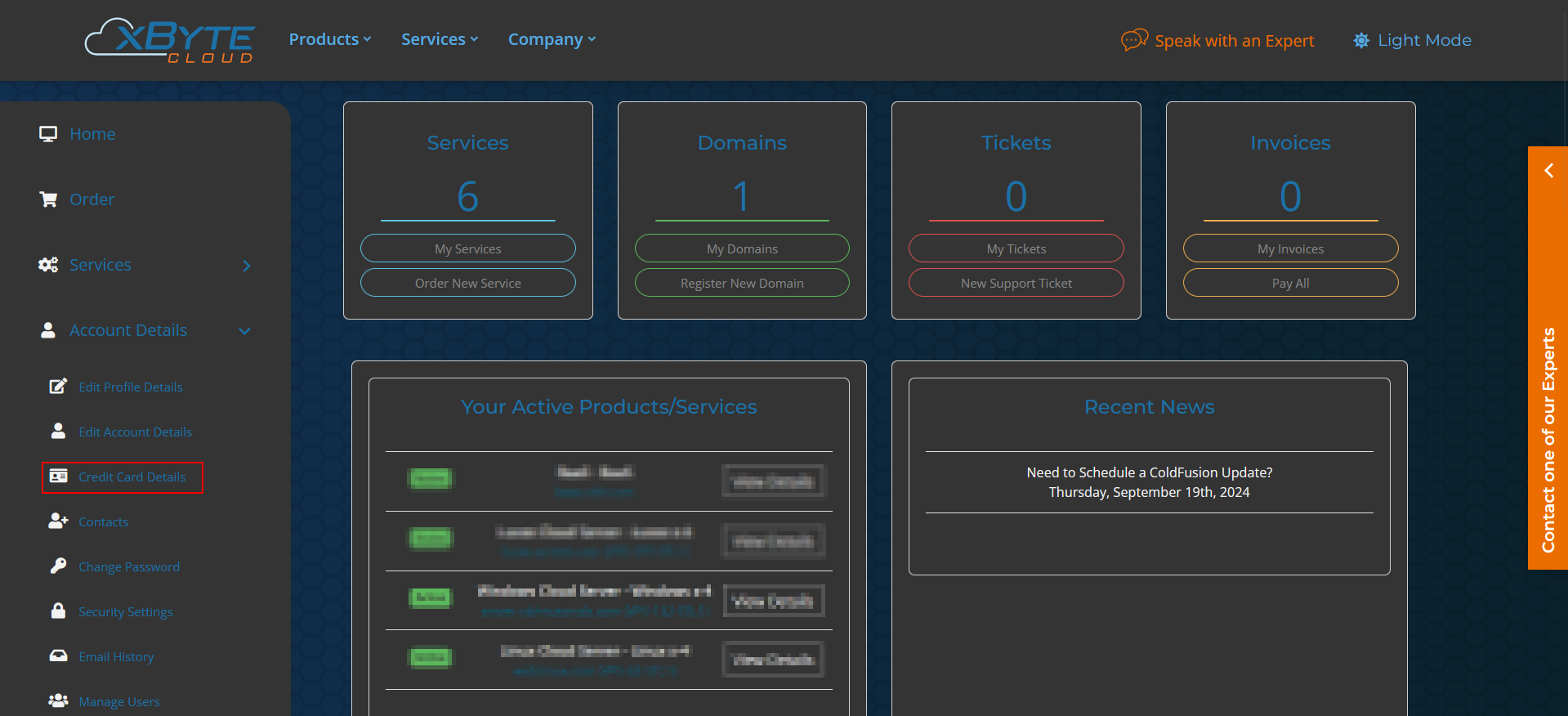
Use the “Account Details” drop-down and select “Credit Card Details”.
-
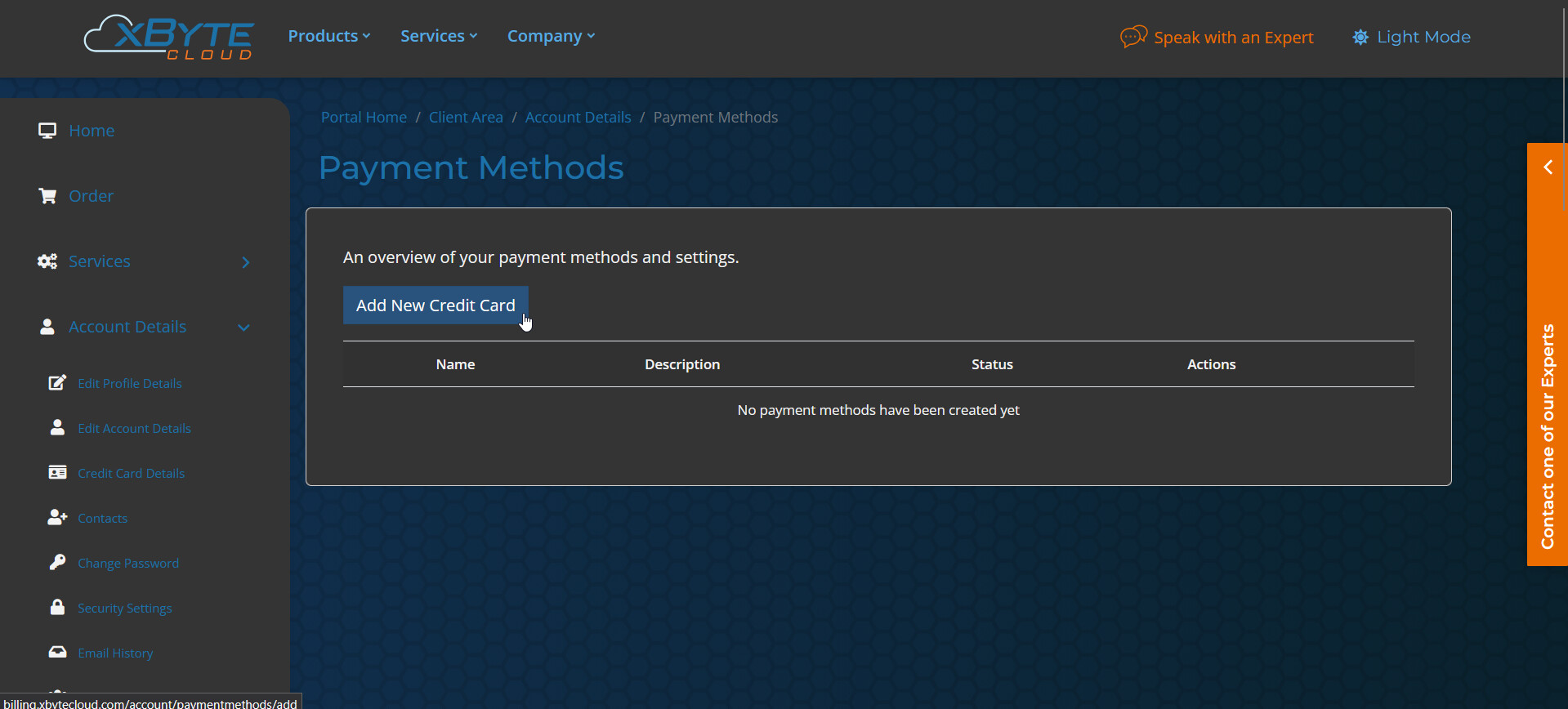
Then select “Add New Credit Card”.
-
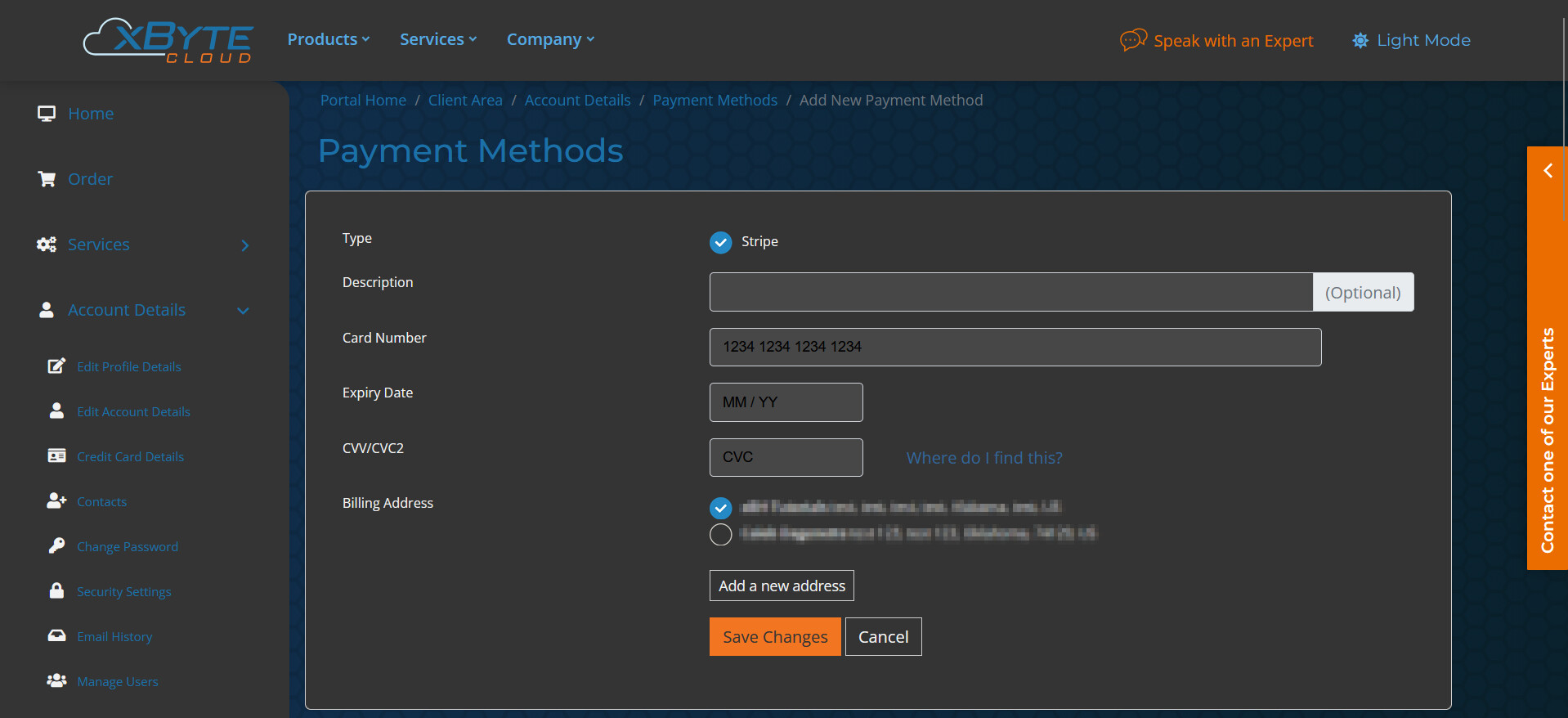
Add your card details on this page and select an account that matches the billing address for your card.
-
Select “Save Changes” and that’s it! You’ve successfully added your card to the account, which enables automatic payment of invoices.
Conclusion
Following these steps, we’ve successfully added a credit/debit card to our account, which has enabled automatic payment for invoices. If you require any assistance or encounter any issues, please don’t hesitate to reach out to our team of Engineers.