xByte Dashboard - Perform a ColdFusion Update
This article will serve as a guide for performing ColdFusion updates on your dashboard-enabled servers. Our team
Steps
- To begin, you’ll need to access your server’s dashboard. Below is our documentation on how to get to this page:
-
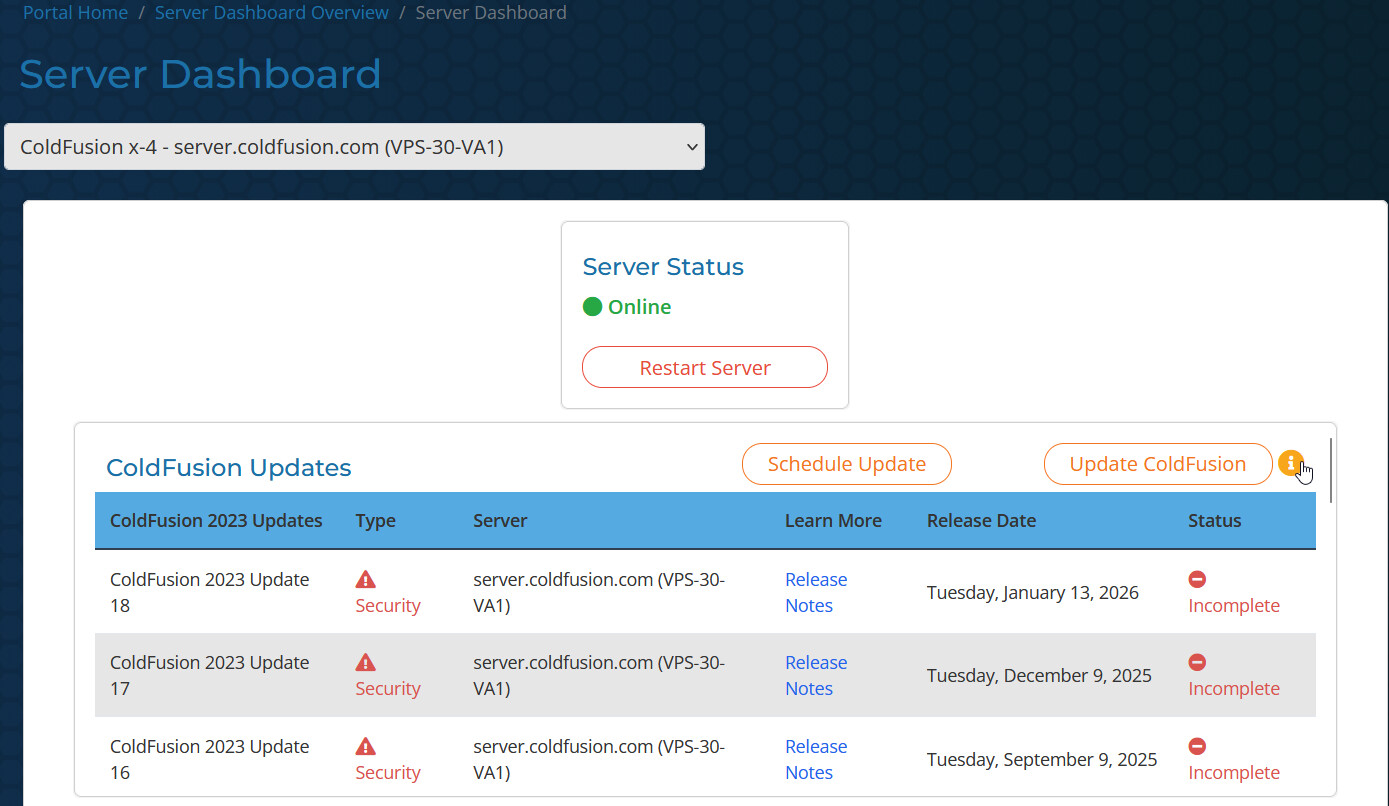
Read over the details in the information icon next to the “Update ColdFusion” button. The same details are provided below in the “ColdFusion Updates & Support Options” drop-down for ease of reference.
ColdFusion Update Options & Support
Need help planning your ColdFusion update? Every environment is different, and we understand that applying security updates can raise questions about application compatibility, custom code, or potential downtime. If you’d like to review the release, discuss the impact on your environment, or simply get a second opinion before updating, our ColdFusion engineers are here to help. Schedule a time that works for you using the link below.
Schedule a Consultation: xByte Cloud Meeting - xByte Cloud Team
Our goal is to help you make informed decisions about your ColdFusion environment and give you the confidence to keep your applications secure, supported, and up to date.
ColdFusion updates are an important part of maintaining the security, stability, and reliability of your environment by reducing exposure to known vulnerabilities. We understand that every ColdFusion application is different, and updates may require consideration of custom code, application dependencies, or compatibility.
Warning: Custom jars including the MySQL JDBC connector are not included in this automation. You will need to update those manually. Documentation on how to update these can be found here: Updating the MySQL JDBC Driver
Important Considerations Before Running Updates:
- Review the official Adobe ColdFusion release notes to determine whether any code changes or compatibility adjustments may be required.
- xByte is responsible for the ColdFusion automation platform, however, using the automation, does require each user to view their code after the update completes and take the appropriate steps. If roll back assistance is required, submit a support ticket. Please be aware of your support plan when submitting your requests.
- If the automated update process fails, our team will be automatically notified and will address the issue.
Prefer to have an xByte engineer perform the update?
ColdFusion Update Assistance Service: This service is designed to help customers get current and secure while taking some of the guesswork out of updating. With this service, a ColdFusion Administrator performs a high-level review of the site, applies the updates, and conducts spot checks to identify any potential issues. If issues are encountered, we document our findings, roll back the update, and share the results so they can be addressed before proceeding.
This is a hands-on, white-glove service that includes rollback assistance to help minimize risk during the update process. Due to the level of engineering involvement, we charge a one-time fee starting at $295 to bring your environment up to date.
What are the steps to initiate a ColdFusion Update Assistance Service engagement?
- Reach out to our team at [email protected]
- Request the ColdFusion Update Assistance Service
- Provide any post-update testing steps
- Before proceeding with scheduling, our team will review your environment and submit a final price for your approval. Once approved, we will coordinate the maintenance window and schedule the update.
-
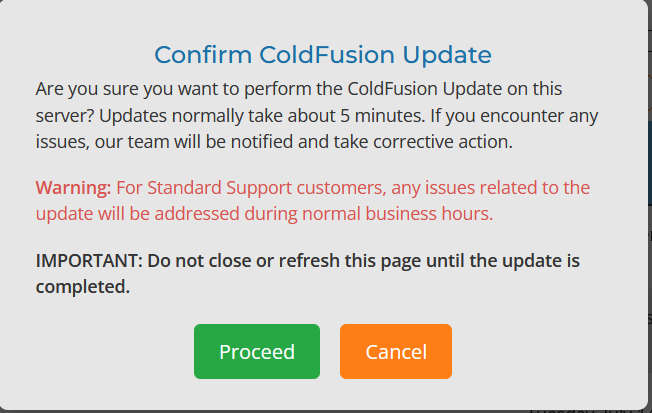
Click the “Update ColdFusion” button once you’re ready to start the update. A pop-up will appear to make sure it wasn’t an accidental click. Click “Proceed” to proceed with the update.
-
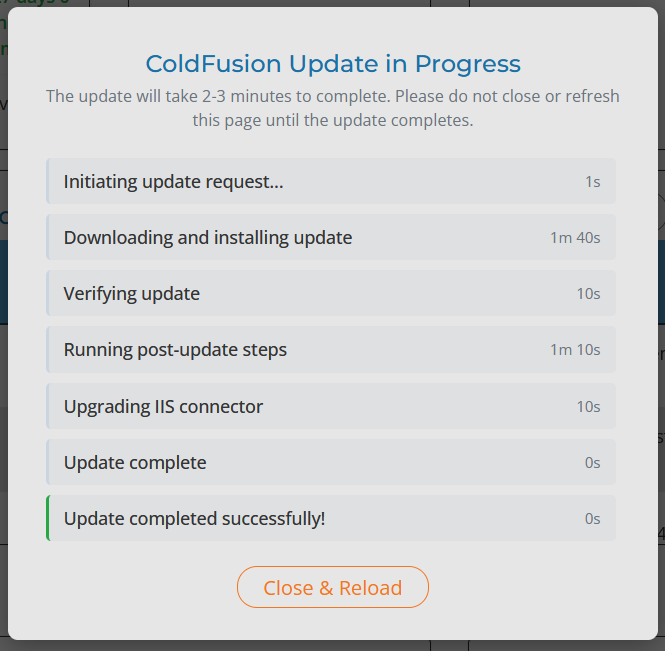
Once the update starts, you’ll be “locked” into a pop-up where you can monitor the update progress. Once it’s completed, you can then close the pop-up and refresh the page using the button seen in the screenshot below:
That’s it! You’ve successfully applied the latest ColdFusion updates to your server using the xByte Cloud Dashboard. If you’ve experienced any issues, please don’t hesitate to reach out to [email protected] for assistance.